Téléchargeur de Photos TikTok

Téléchargez des photos TikTok en HD sans filigrane

How to Download TikTok Photos Using SSSTikTok?

STEP 01

Find the TikTok Photo Slideshow

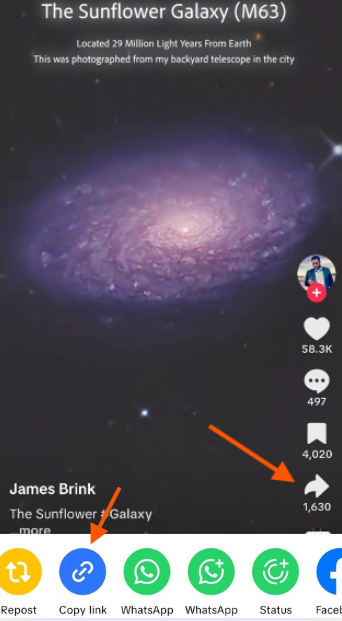
Open TikTok and locate the photo or slideshow post you want to save. TikTok photo posts show multiple images with synced background music, tap Share to get the link.

Find TikTok Photo Post
STEP 02

Copy the TikTok Photo Post Link

On the share menu, select Copy Link to get the photo post URL. This link is what SSSTikTok uses to detect and extract all individual images from the slideshow.

Copy TikTok Photo Link
STEP 03

Paste into the Photo Downloader

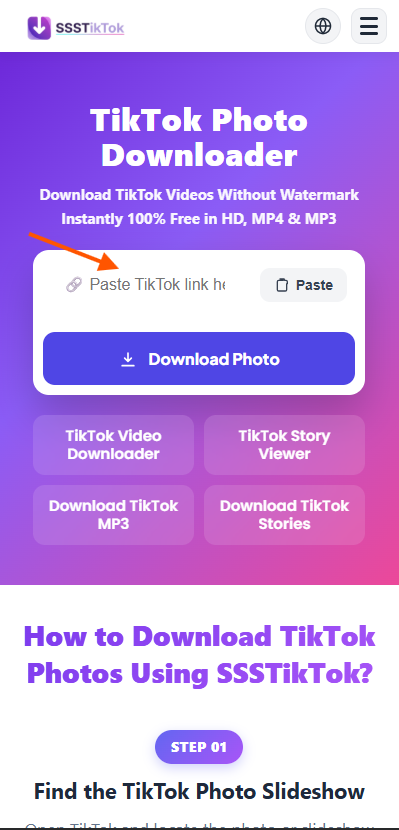
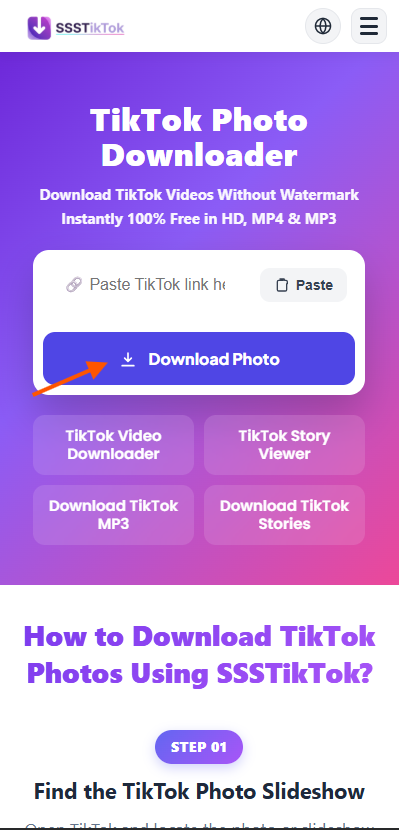
Go to SSSTikTok's TikTok Photo Downloader page and paste the link into the search bar. Click Download Photo to instantly load a preview of all images in the slideshow.

Paste into Photo Downloader
STEP 04

Save Photos or Download as MP4 Slideshow

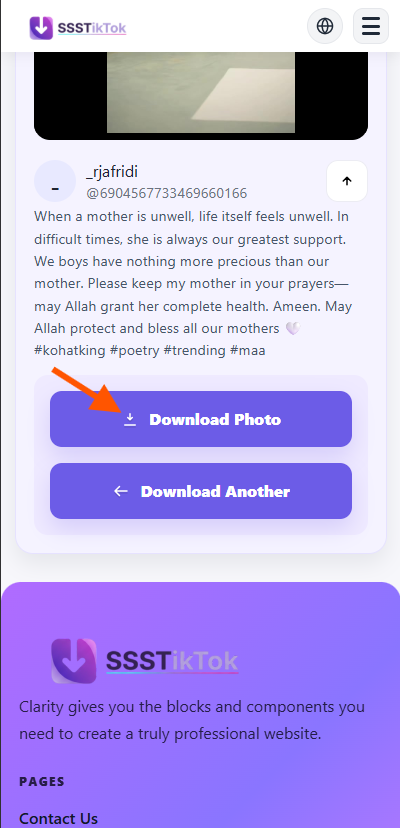
Download individual images as JPGs watermark-free, or convert the entire slideshow into an MP4 video with the original audio. All downloads are free, HD, and instant.

Download TikTok Photos

Principales caractéristiques du téléchargeur de photos Tik Tok

Télécharger des photos TikTok instantanément

Avec le téléchargeur de photos TikTok, vous pouvez enregistrer des photos instantanément, y compris les images individuelles des diaporamas. L'outil offre un accès rapide en un clic, vous permettant de sauvegarder n'importe quelle image en quelques secondes.

Option de téléchargement en vidéo

Si vous préférez un format vidéo, utilisez la fonction TikTok diaporama en MP4 pour convertir les diaporamas en vidéos. Cette fonction est idéale pour les créateurs qui veulent partager des diaporamas comme des clips de qualité professionnelle.

Convertir et enregistrer en MP3

Transformez n'importe quel diaporama TikTok avec synchronisation audio en fichier MP3 grâce au convertisseur intégré. Idéal pour extraire des bandes sonores ou des voix de TikTok pour une réutilisation ultérieure en audio de haute qualité.

Téléchargements propres, sans filigrane

Le téléchargeur supprime le logo TikTok pour vous offrir des photos propres et sans filigrane. Utiliser le suppresseur de filigrane TikTok pour enregistrer des images de qualité professionnelle prêtes à être partagées.

Pourquoi choisir le téléchargeur de photos SSSTikTok

Sur tous les appareils et navigateurs

Prend en charge Android, iOS, PC, Mac et Linux. Performance fluide sur Chrome, Safari et Firefox partout.

Sûr, sécurisé et gratuit

Vie privée protégée. Téléchargements sûrs sans stockage de données. Totalement gratuit sans inscription.

Téléchargements illimités

Aucune restriction. Enregistrez vos diaporamas et images préférés sans arrêt pour vos projets.

Télécharger en JPG ou Diaporama MP4

Enregistrez des photos individuelles en JPG ou convertissez l'album entier en vidéo MP4 avec la musique originale.

Aucune connexion requise

Utilisez l'outil directement dans votre navigateur, pas de compte, pas d'installation d'application, pas de détails personnels nécessaires.

Enregistrement photo HD rapide

Enregistrez instantanément les photos TikTok à la meilleure résolution. Traitement rapide et qualité d'image nette.

FAQs About TikTok Photo Downloader

Quick answers about saving TikTok slideshows and images in HD.

To download a TikTok photo slideshow, simply copy the URL of the post and paste it into the search box above. Our tool will process the link and display all the individual photos from the slideshow, allowing you to save them one by one in high definition directly to your device.

Yes, SSSTikTok lists every image in the slideshow separately. You can choose to download all of them sequentially or pick only the specific photos you need. This gives you full control and ensures you don't waste storage on images you don't want.

Absolutely. We extract the original, high-resolution images as uploaded by the content creator. Whether it's a single snapshot or a multi-photo post, you will receive the best possible HD quality without any extra compression or loss in detail.

Yes! Our tool also detects the audio track used in the photo slideshow. You can use our TikTok MP3 Downloader to extract and save the background music as a high-quality 320kbps MP3 file.

On iPhone and Android, simply use your mobile browser (like Safari or Chrome). Paste the TikTok link into our tool, and when the images appear, tap and hold on a photo to "Save to Photos" or use the dedicated download buttons provided for each image.

Yes, our service is 100% free with no registration required. You can download as many photos and slideshows as you want without any daily caps, hidden fees, or time limits, making it the most convenient TikTok image saver available.